Short answer: a Senate stock trading tracker helps you monitor disclosed senator purchases and sales, but the useful workflow is not just seeing a ticker. You need transaction date, filing date, amount range, source disclosure, chamber, and ticker context together.
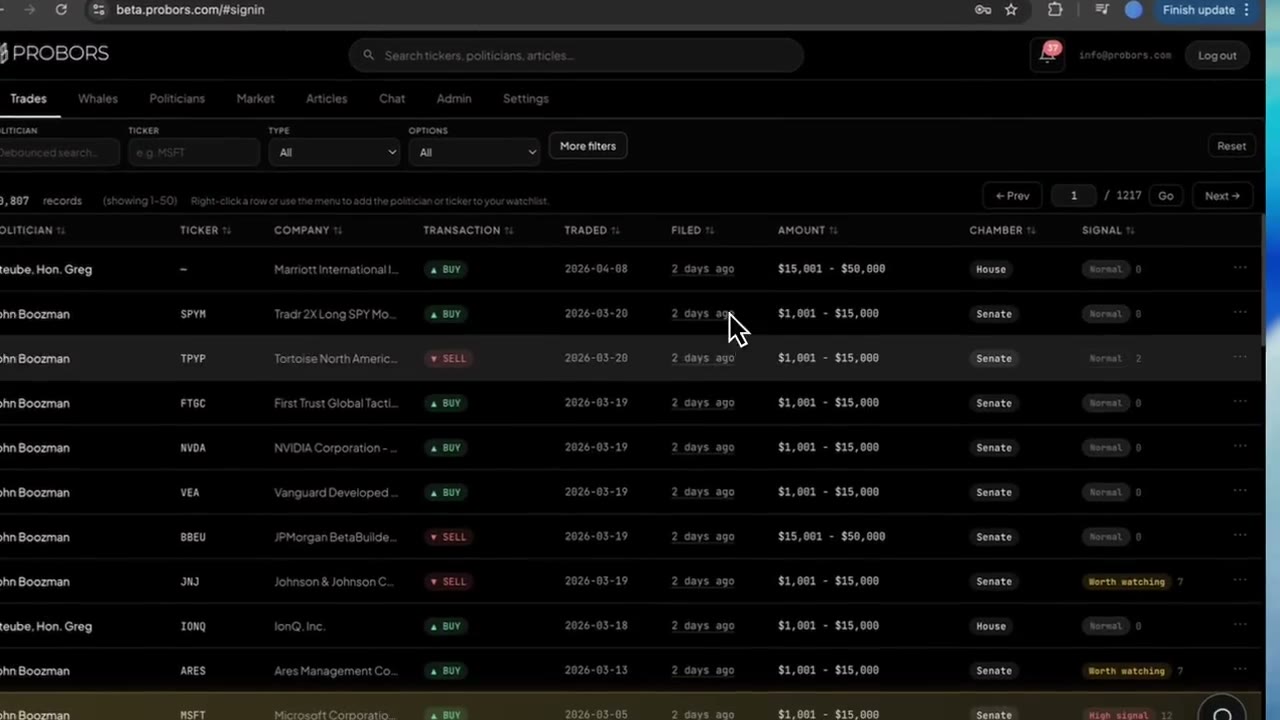
ProBors lets you search congressional disclosures by senator, ticker, chamber, transaction type, and time window, then open rows in context with market charts and related research signals. This is monitoring and research software, not investment advice.
What Senate stock disclosures show
Senate disclosures can show purchases, sales, exchanges, and other reportable transactions. The useful fields are usually:
- Senator name
- Asset or ticker
- Transaction type
- Transaction date
- Filing date
- Amount range
- Owner or account context when available
- Source disclosure
The important detail is that a filing can appear after the transaction date. A disclosure that becomes public weeks later should not be treated like a real-time market signal.
Senate tracker workflow
Use this workflow when you want to monitor senators by ticker or watchlist:
- Start with the ticker or senator name.
- Filter to Senate when you need chamber-specific results.
- Compare transaction date with filing date.
- Review the amount range and transaction type.
- Click the row to open ticker context and price movement.
- Check whether House members, insiders, or whales also have activity in the same ticker.
This turns Senate disclosures into a repeatable research process instead of a manual portal search.
Senate vs House tracking
| Need | Senate portal workflow | ProBors workflow |
|---|---|---|
| Official source access | Yes | Source context remains part of review |
| Ticker search | Manual | Built into filters |
| Filing lag review | Manual | Visible in the row and context |
| House + Senate comparison | Manual | Combined congress workflow |
| Insider and whale cross-check | Separate tools | Same workspace |
| Watchlist monitoring | Manual | Built for repeat tracking |
Official portals remain the citation layer. ProBors is the research layer that helps you find, sort, and contextualize the rows faster.
What to avoid
Avoid these common mistakes:
- Treating filing date and trade date as the same date.
- Treating an amount range as an exact trade value.
- Ignoring owner or account context.
- Assuming a senator's trade explains future performance.
- Citing a tracker screenshot without checking the source disclosure.
The better workflow is slower but more reliable: source first, then context, then watchlist.
Sources and methodology
Use official sources to verify any specific Senate row before citing it:
- Senate electronic financial disclosure search
- STOCK Act bill text
- House public financial disclosure portal
- SEC EDGAR search
ProBors should be used as research software for monitoring and triage. It does not provide personalized investment advice, guarantee future returns, or prove why a senator made a transaction.
Monitor Senate trades with ticker context
Use ProBors to search Senate and House disclosures, open trade context, and connect rows to market and insider activity.
Get startedBottom line
A Senate stock trading tracker is valuable when it helps you verify the disclosure and understand the ticker context. Start with the source row, separate filing date from transaction date, and use ProBors to connect Senate trades with broader congressional, insider, whale, and market activity.
Sources & methodology
Last updated:
ProBors uses public disclosure records, SEC filings, House and Senate financial disclosure portals, market data, and in-product workflow checks. Articles are written as research education, not investment advice.