Short answer: the best way to track congressional stock trades by ticker is to start with the ticker, then review the politician, transaction date, filing date, amount range, source disclosure, and market context together. A ticker-only alert is useful, but the research value comes from seeing why the disclosure appeared, how late it was filed, and whether other political or insider activity clusters around the same name.
ProBors is built for that workflow: search or filter by ticker, review House and Senate disclosures, open the politician context, compare activity with insider and whale flow, and then decide whether the filing deserves more research. This is research infrastructure, not investment advice.
Why ticker-based tracking matters
Most congressional trading pages start with a list of politicians or recent filings. That is useful for browsing, but active market watchers usually think in tickers.
If you are already watching NVDA, MSFT, TSLA, XOM, AAPL, or a smaller name in your portfolio, the question is not just "who traded today?" It is:
- Which members reported activity in this ticker?
- Was the report filed close to the trade date or weeks later?
- Was the amount range small, medium, or unusually large?
- Does the politician sit near committees or policy areas connected to the company?
- Did insiders, whales, or market price action show related activity?
Ticker-first tracking turns congressional disclosures into a watchlist workflow instead of a daily scavenger hunt.
What congressional trade data can and cannot tell you
Congressional transaction reports are disclosure records. They are not real-time broker confirmations, and they are not a trading signal by themselves.
The STOCK Act requires periodic transaction reporting by members of Congress and other covered officials. The House public disclosure portal notes that Section 8 of the STOCK Act requires online public access to financial disclosure reports. The Senate also provides a public electronic disclosure search portal. In practice, the useful fields for research are the member name, asset or ticker, transaction type, transaction date, filing date, owner field, amount range, and the original source document.
Key limits:
- Amounts are often ranges, not exact dollar values.
- Some assets are disclosed with names that need ticker matching.
- Reports can arrive after the transaction date.
- Amended reports can change what you previously saw.
- A disclosure does not prove intent, nonpublic information, or future performance.
That is why a good tracker should preserve source context rather than hiding everything behind a score.
Ticker-first workflow
Use this workflow when a ticker enters your watchlist or when a congressional trade alert mentions a symbol you already follow.
1. Search the ticker, not only the politician
Start with the ticker or company name. A good tracker should show all recent congressional reports tied to that symbol, not just a single politician profile.
In ProBors, the practical workflow is:
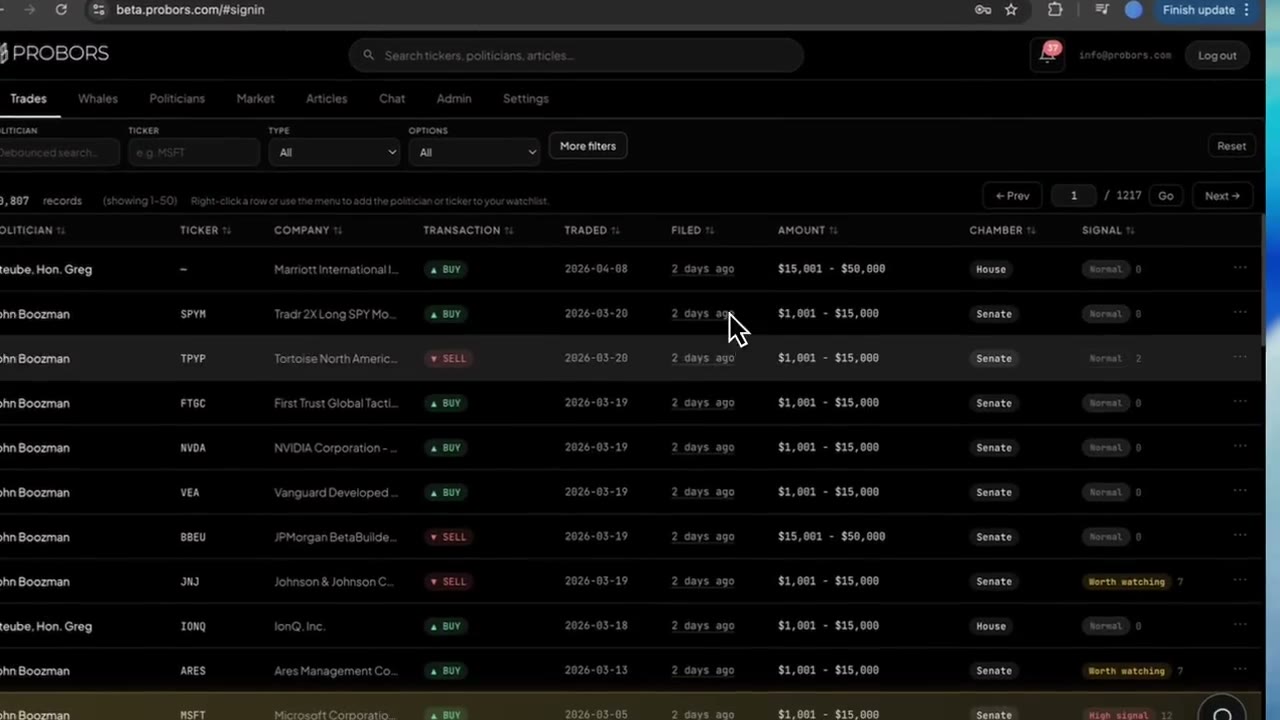
- Search or filter for the ticker.
- Review all matching House and Senate disclosures.
- Sort by transaction date, filing date, amount range, or signal score.
- Open the politician profile when a row looks meaningful.
- Check market context before drawing conclusions.
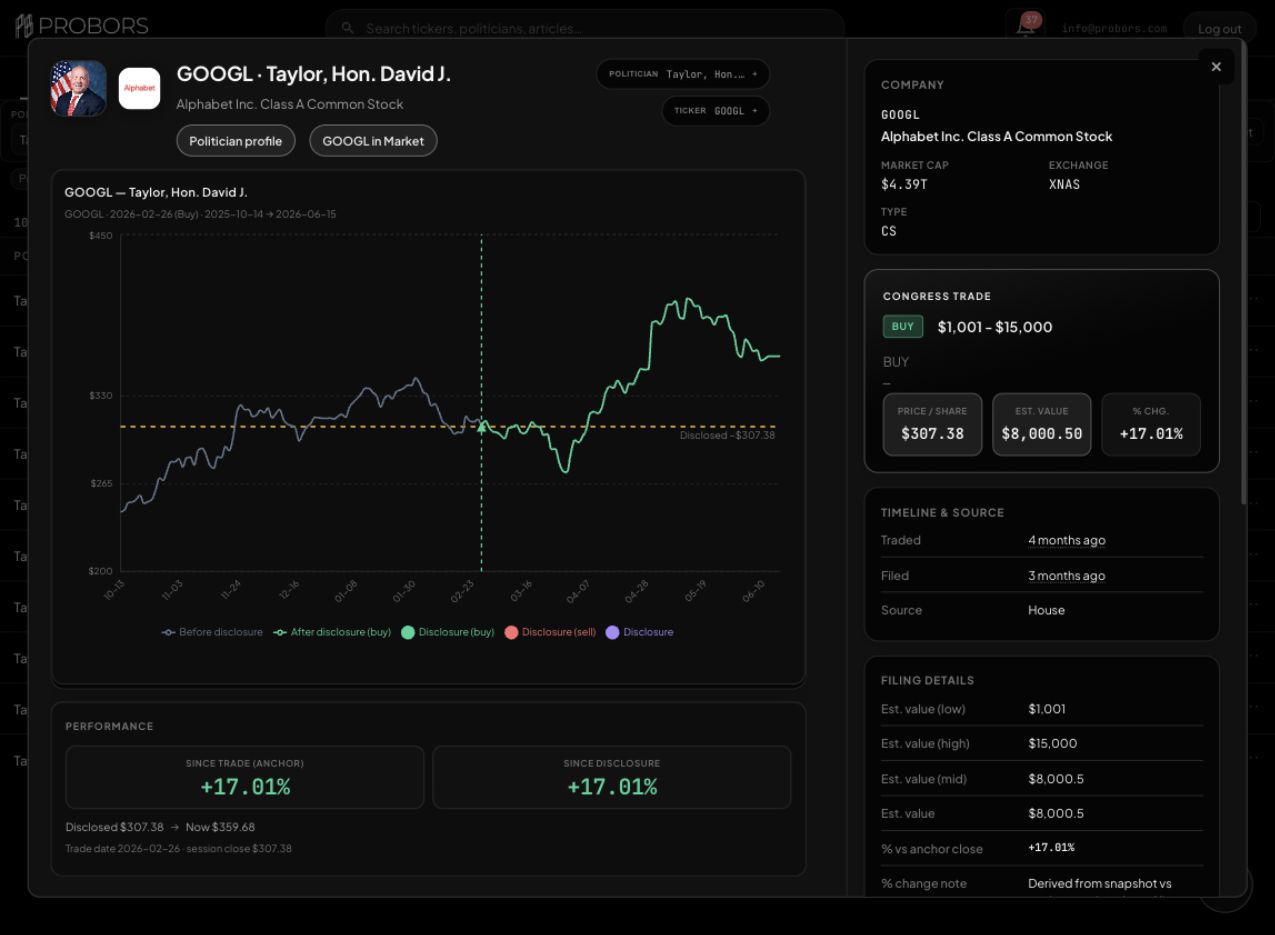
Real example: GOOGL trades for Rep. David J. Taylor
For a concrete ticker-first check, filter ProBors to politician Taylor and ticker GOOGL, then click the disclosure row to open the trade context window. The filtered Trades table narrows the workflow to matching Alphabet rows, and the clicked context view adds chart history, filing timing, signal notes, estimated value, and source context.
One source-verifiable example is Hon. David J. Taylor's Alphabet Inc. Class A Common Stock (GOOGL) purchase from House filing ID 20034138.
| Field | Example |
|---|---|
| Ticker | GOOGL |
| Politician | Hon. David J. Taylor |
| Company / asset | Alphabet Inc. - Class A Common Stock |
| Transaction type | Purchase (P) |
| Transaction date | February 26, 2026 |
| Filing / notification date | March 5, 2026 notification date; digitally signed March 6, 2026 |
| Amount range | $1,001 - $15,000 |
| Chamber | House |
| Source disclosure | House PTR PDF |
The useful workflow is not "GOOGL appeared, therefore buy." The useful workflow is that ProBors gets you from a ticker to the exact member, amount range, transaction date, filing date, and source document quickly enough to decide whether the row deserves more research.
2. Compare transaction date with filing date
Filing lag matters. A trade reported quickly is different from a trade that appears weeks after the transaction.
For each row, compare:
| Field | Why it matters |
|---|---|
| Transaction date | Shows when the trade was reported to have happened. |
| Filing date | Shows when the public learned about it. |
| Filing lag | Helps separate fresh disclosures from old news. |
| Source document | Lets you verify the row against the original report. |
Late disclosures can still be useful, but they should be read differently. The market may already have moved by the time the report becomes public.
3. Read amount ranges carefully
Congressional disclosures usually report dollar ranges, not exact values. A "$1,001 to $15,000" transaction and a "$500,001 to $1,000,000" transaction should not be treated the same.
Use ranges as a triage tool:
- Small range: useful context, usually lower priority.
- Mid range: worth checking with other activity.
- Large range: worth reviewing source document, politician context, and market timing.
Do not convert a range into a fake exact number. If the source gives a range, keep it as a range.
4. Check politician context
The same ticker can mean different things depending on who filed the disclosure.
Review:
- Committee membership or policy exposure.
- Prior activity in the same ticker or sector.
- Whether the transaction is a purchase, sale, option, or spouse/dependent transaction.
- Whether the filing appears isolated or part of a pattern.
ProBors is useful here because the ticker workflow can connect to politician profiles and portfolio context instead of leaving you with a raw filing row.
5. Check market and insider context
Congressional trading data gets more useful when it sits next to other market signals.
Ask:
- Did corporate insiders file Form 4 purchases or sales around the same period?
- Did whale or unusually large transactions appear in the same ticker?
- Did price or volume change meaningfully after the transaction date or filing date?
- Is the disclosure happening near earnings, policy news, sector rotation, or company-specific events?
No single answer proves anything. The point is to decide whether the ticker deserves deeper research.
Tracker comparison for ticker-based research
| Workflow need | Basic disclosure portal | Generic tracker | ProBors |
|---|---|---|---|
| Search by ticker | Manual and fragmented | Usually yes | Yes |
| Preserve source links | Yes, but slow to browse | Varies | Yes, source context remains part of the workflow |
| Filing lag visibility | Manual | Varies | Built into row review and prioritization |
| Politician context | Manual | Often limited | Connected to profiles and portfolio views |
| Insider and whale context | No | Usually separate | Combined with congress tracking |
| Market chart workflow | No | Often separate | Built for ticker research |
| AI research summary | No | Rare | Available inside the workflow |
Verification checklist before citing a trade
Before you cite a congressional trade in research, verify the row against the source disclosure instead of relying only on a tracker table.
Check:
- The ticker or asset name matches the company you are researching.
- The politician name, owner field, transaction type, and amount range match the original report.
- The transaction date and filing date are clearly separated.
- The source document is reachable from the House or Senate disclosure portal.
- The example is used as context, not as proof of intent or future performance.
If any field is ambiguous, keep the row in a watchlist and avoid treating it as a firm signal.
Sources and methodology
This guide is based on public disclosure workflows and ProBors product research patterns. Use official sources to verify any row before citing it:
- House public financial disclosure portal
- Example House PTR PDF: Hon. David J. Taylor, filing ID 20034138
- Senate electronic financial disclosure search
- STOCK Act bill text
- SEC EDGAR search
ProBors should be used as research software for monitoring and triage. It does not provide personalized investment advice, guarantee future returns, or prove that a public official traded for a specific reason.
Track congressional trades by ticker
Use ProBors to review STOCK Act disclosures, insider activity, market context, and AI research from one workflow.
Get startedBottom line
Tracking congressional stock trades by ticker is useful when it helps you move from a symbol to the full disclosure context: who filed, when the trade happened, when the report became public, how large the range was, and what else was happening around the company.
That is where ProBors fits best. It turns ticker-based congressional trade tracking into a research workflow instead of a list of screenshots.
Sources & methodology
Last updated:
ProBors uses public disclosure records, SEC filings, House and Senate financial disclosure portals, market data, and in-product workflow checks. Articles are written as research education, not investment advice.