MSFT congressional disclosures matter to researchers because Microsoft is a benchmark mega-cap that shows up in both House and Senate Periodic Transaction Reports (PTRs)—often alongside option lines that are easy to misread as simple stock sales. In the last 90 days, ProBors shows a mix of purchases, partial sales, and call-option activity filed between early April and mid-June 2026, with filing lag ranging from one day to about six weeks. This spotlight walks through recent Microsoft rows, how to separate stock from options disclosures, and what the record does not prove. It is research context, not investment advice.
Why MSFT appears in congress trackers
Microsoft sits in many diversified portfolios and index funds, so PTR rows on the name are common without implying policy foresight. Useful questions on MSFT are narrower:
- Which members filed Microsoft activity in the last 90 days?
- Was each row common stock, a partial sale, or a call-option line?
- How many days passed between the transaction date and the public filing date?
- Does the amount range suggest a small rebalance or a larger position change?
- Did House and Senate filings cluster in the same calendar window?
A ticker spotlight should answer those fields from source-backed rows, then let you decide whether deeper chart or insider review is warranted.
Recent MSFT filings in ProBors
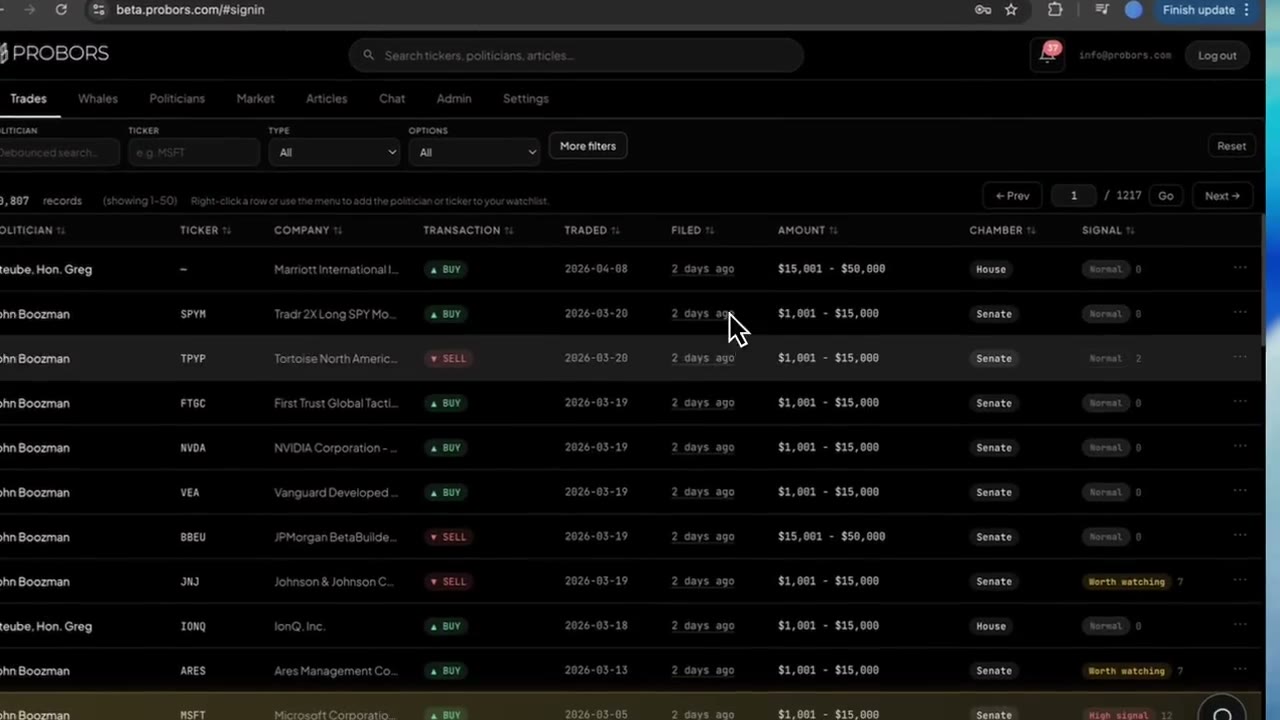
The table below reflects Microsoft PTR rows in ProBors as of June 26, 2026, sorted by filing date (newest first). Filing lag is calendar days between the transaction date and the filed date as reported in ProBors. Rows are deduplicated on politician, transaction type, dates, amount, and chamber.
| Politician | Type | Traded | Filed | Lag (days) | Amount range | Chamber |
|---|---|---|---|---|---|---|
| Matthew Robert Van Epps | Sale | 06/16/2026 | 06/17/2026 | 1 | $1,001 – $15,000 | House |
| Gilbert Cisneros | Purchase | 05/15/2026 | 06/05/2026 | 21 | $50,001 – $100,000 | House |
| Josh Gottheimer | Purchase | 05/19/2026 | 06/02/2026 | 14 | $500,001 – $1,000,000 | House |
| Josh Gottheimer | Purchase (call options) | 05/19/2026 | 06/02/2026 | 14 | $250,001 – $500,000 | House |
| Jonathan Jackson | Sale (partial) | 05/12/2026 | 06/02/2026 | 21 | $15,001 – $50,000 | House |
| Mark Warner | Purchase | 04/13/2026 | 05/01/2026 | 18 | $1,001 – $15,000 | Senate |
| John Boozman | Purchase | 03/05/2026 | 04/14/2026 | 40 | $1,001 – $15,000 | Senate |
Snapshot summary (filed since late March 2026): 19 deduplicated MSFT PTR rows in this window—13 purchases and 6 sales; 15 House and 4 Senate. Median filing lag: 14 days (range 1–40 days).
Always verify individual rows against the official source before citing them:
- House PTR search: disclosures-clerk.house.gov
- Senate eFD search: efdsearch.senate.gov
Cross-chamber patterns worth noting
Three patterns stand out in this Microsoft sample—and none of them are trading signals on their own.
1. Options lines need separate treatment from stock rows
Rep. Josh Gottheimer’s May 19, 2026 activity includes both common-stock purchases and call-option purchases filed on June 2, 2026, with disclosed ranges up to $1,000,000 on the stock line and $500,000 on the option line. Mixing those into a single “bought MSFT” headline loses the distinction between equity and derivative exposure. When you research options PTR lines, read the transaction type column carefully and cross-check the original filing.
2. Filing lag varies more than direction
Rep. Matthew Robert Van Epps filed an MSFT sale one day after the transaction date. Sen. John Boozman’s Senate purchase shows a 40-day gap between trade and filing. That spread is why congressional trackers must show both dates—see the STOCK Act filing delay guide for the legal 30/45-day framework.
3. Senate purchases can coexist with House sales
Mark Warner’s April Senate purchase and several House partial sales in the same quarter do not imply coordinated timing. Mega-cap names appear across chambers in ordinary portfolio maintenance. The research task is to separate coincident calendar overlap from causation.
How to research MSFT on ProBors
Use a ticker-first workflow when Microsoft is already on your watchlist:
- Open Market → MSFT (or search
MSFTin the dashboard). - Scroll to the Congress trades table and sort by filed date.
- Click a row to open trade context—transaction type, amount range, chamber, and signal tier.
- Toggle congress markers on the price chart to see where disclosures landed relative to daily bars.
- Cross-check Form 4 / whale activity on the same ticker before treating a PTR row as isolated.
- Add MSFT to a watchlist if you want alerts on the next filing—not on live price.
For chart marker details, see the market chart congress markers guide. For the full ticker workspace layout, see the market workspace guide.
What this MSFT data does not prove
A congressional disclosure table on Microsoft does not prove:
- That members traded on non-public information
- That MSFT will rise or fall because a PTR was filed
- Exact share counts or dollar proceeds (ranges are bands, not precise fills)
- Real-time intent—most rows in this sample posted days or weeks after the transaction date
- Committee influence or policy outcomes tied to a single trade line
PTR data is a public record for transparency, not a timing edge. The useful output is a verified research trail: who filed, what type, when it traded, when it became public, and how that row compares to other disclosures on the same ticker.
FAQ
How often do members disclose Microsoft trades?
Frequency varies by member and portfolio. In the last 90 days, ProBors shows 19 deduplicated MSFT PTR rows across multiple House members and four Senate filings—not a daily stream, but enough activity to warrant ticker-level monitoring if MSFT is on your list.
Why do some MSFT rows list call options instead of stock?
STOCK Act PTRs must report options transactions separately from common stock. A “Purchase – Call Option” line reflects derivative exposure, not a straight share buy. Treat options and stock rows as different research objects.
What is a typical filing lag for MSFT disclosures?
In this sample, median lag is 14 days, with a range from 1 day (Van Epps sale filed June 17, 2026) to 40 days (Boozman Senate purchase filed April 14, 2026). Lag depends on the member and filing batch, not the ticker.
Can I filter MSFT rows to Senate or House only?
Yes. On ProBors, filter congressional trades by ticker (MSFT) and chamber when you need chamber-specific results. See the Senate stock trading tracker and House stock trading tracker guides for chamber workflows.
Does a congressional MSFT sale mean insiders also sold?
Not necessarily. Congressional PTRs and SEC Form 4 filings follow different rules and timelines. Keep congress rows and insider rows in separate lanes before drawing conclusions.
Research MSFT disclosures in one workspace
Filter congressional PTRs by ticker, overlay markers on price, and cross-check insider filings on ProBors.
Get startedRelated reading
- Track congress stock trades by ticker
- NVDA congressional disclosures explained
- How to read politician trade disclosures
- STOCK Act filing delay explained
Sources
- House Financial Disclosure (PTR search)
- Senate eFD search
- STOCK Act (Pub. L. 112-105)
- SEC investor guidance on insider reporting
- Rows were checked in ProBors and should be verified against the original filing. Ingestion health: probors.com/status
Sources & methodology
Last updated:
ProBors uses public disclosure records, SEC filings, House and Senate financial disclosure portals, market data, and in-product workflow checks. Articles are written as research education, not investment advice.