Before you cite a congressional trade or insider filing in notes, journalism, or a morning scan, confirm the underlying source is current. The ProBors data status page at probors.com/status shows per-source sync health for House PTR, Senate PTR, and SEC Form 4 ingestion—so you know whether a missing row means “not filed yet” or “sync still catching up.” This is a product walkthrough for disclosure researchers, not investment advice.
Quick answer
Open probors.com/status (no sign-in required). Each card reports whether a source is healthy, delayed, failing, syncing now, or backfilling, plus when it was last checked, how many records landed in the latest run, and the newest filing date ProBors has seen. Check this page when a batch filing you expect has not appeared in the trades table, before publishing a dated snapshot post, or after a government portal outage.
What the status page monitors
ProBors tracks three disclosure pipelines that feed the product:
| Source card | What it covers | Typical cadence |
|---|---|---|
| House PTR | Periodic Transaction Reports from the House Clerk | About every 15 minutes |
| Senate PTR | Senate periodic transaction reports | About every 15 minutes |
| SEC Form 4 / Whales | Insider filings and large-transaction rows | About every 5 minutes |
A green Up to date badge means the latest sync completed within the expected window. Checked, no new data is normal on quiet afternoons—the crawler ran, found nothing new at the source, and exited cleanly. That is different from Delayed or Failing, which mean you should wait or verify manually before treating the dashboard as complete.
Current freshness snapshot
As of June 30, 2026, ProBors shows all three sources healthy:
- House PTR — last checked the afternoon of June 30, 2026; scanned 267 reports in the latest run with no new trade rows inserted (quiet cycle).
- Senate PTR — last checked the afternoon of June 30, 2026; scanned 50 reports with no new inserts in that pass.
- SEC Form 4 / Whales — last checked the afternoon of June 30, 2026; latest filing date seen June 30, 2026; six records added in the most recent sync.
These numbers change every few minutes. Refresh the status page when you need a live read—not a cached screenshot from an earlier article.
Five-step workflow on probors.com/status
-
Bookmark the page at probors.com/status next to your trades tab. It is public; you do not need an account to read ingestion health.
-
Read the summary banner at the top. “Data sources are current” means no source is in a failing or delayed state. If the banner shifts to delayed or failing, pause headline drafting until the affected card returns to healthy.
-
Open the card for your research lane. Congressional-only work starts with House PTR and Senate PTR. Insider or whale triage starts with SEC Form 4 / Whales. Each card lists last checked time, records added last sync, records scanned, sync duration, and expected cadence.
-
Compare status to your question. If House PTR shows healthy but you still lack a row, the filing may not be public yet—or it may sit in a batch with a later filing date. Cross-check the original House Clerk Financial Disclosure portal. Status tells you about ProBors ingestion, not whether a member filed on time under the STOCK Act.
-
Return to the dashboard once the relevant card is healthy. Sort congressional trades by filing date or open the whale table with confidence that sync lag—not a silent outage—is the explanation for any gap.
Pair this habit with how to read politician trade disclosures so you separate filing lag (member-level delay) from ingestion lag (platform sync delay).
How to read each field
Last checked — when ProBors finished the most recent crawl for that source. If this timestamp is stale relative to the expected cadence (for example, no House check in over an hour when cadence is 15 minutes), treat the source as worth watching even if the badge still says healthy.
Latest filing date seen — the newest transaction or filing date present in the source feed, when the upstream system exposes it. Form 4 cards usually show this; PTR cards may show “unknown” granularity when the portal does not publish a single timestamp.
Records added last sync — how many new rows landed in ProBors on that pass. Zero is common when no new PDFs appeared. A large insert after a holiday weekend often precedes the batch headlines you see in congressional trade snapshots.
Ingestion delay — when reported, the gap between source publication and ProBors ingestion. This is separate from the 45-day STOCK Act window covered in STOCK Act filing delay explained.
Syncing now / Backfilling — active work in progress. Wait for the card to return to healthy before exporting tables or issuing alerts to a newsroom.
When researchers use the status page
- Morning triage — confirm overnight Form 4 sync before running a whale scan; see how to triage whale transactions on ProBors.
- After portal outages — government sites occasionally lag; status shows when ProBors caught up.
- Watchlist alerts — if you expected an alert and none arrived, check whether the source card was delayed during the sync window; see ProBors watchlist alerts.
- Cross-checking blog or journalism — before citing “as of Friday” language, verify the latest filing date seen matches your publication date.
What this does not prove
A healthy badge does not mean every member has filed every required disclosure. It means ProBors successfully checked the source and ingested what was available. Conversely, a delayed badge does not mean politicians traded on inside information—it means your tool may be incomplete for a short window. Always verify individual rows against the original House PTR, Senate eFD, or SEC filing before trading or publishing.
FAQ
Do I need a ProBors account to view the status page?
No. probors.com/status is public. Signed-in features like watchlists and AI chat still depend on your plan, but ingestion health is visible to everyone.
What is the difference between “Checked, no new data” and “Delayed”?
Checked, no new data means the sync succeeded and the upstream source had nothing new to import. Delayed means the source is behind its expected freshness window and may not reflect the latest public filings until the next successful run.
House PTR shows healthy but I cannot find a specific trade. Why?
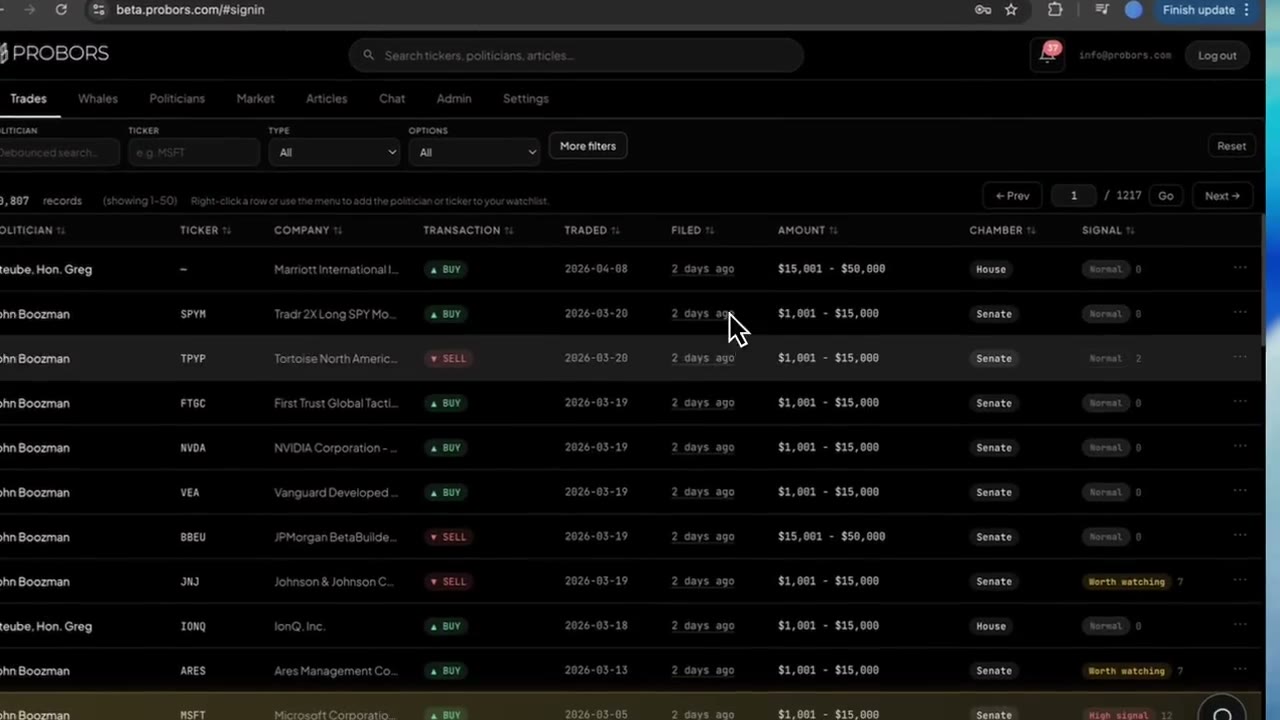
Common reasons: the member has not filed yet, the trade sits in an unpublished batch, you are filtering by the wrong chamber or date field, or the security lacks a ticker symbol. Status confirms ingestion; it does not replace row-level search on the congressional trades tab.
How often should I refresh during a heavy filing week?
During batch weeks (month-end Senate dumps, post-recess House PTR waves), checking once at the start of your session and once before publish is usually enough. Form 4 syncs more frequently—every few minutes—so whale researchers refresh less often than congressional scanners.
Does a failing card mean my watchlist alerts are broken?
Alerts depend on new rows entering the database. If a source is failing or delayed, new filings may not trigger notifications until sync recovers. Check status first, then the inbox.
Research disclosures with confidence
Use ProBors for congressional trades, whale filings, and market context—and check probors.com/status when freshness matters.
Get startedRelated reading
- How to read politician trade disclosures
- STOCK Act filing delay explained
- ProBors watchlist alerts
- How to triage whale transactions on ProBors
- Form 4 insider buying tracker
Sources
- House Clerk Financial Disclosure — official House PTR portal
- Senate Financial Disclosures (eFD) — official Senate disclosure search
- SEC EDGAR Form 4 search — insider transaction filings
- STOCK Act (Pub. L. 112-105) — congressional disclosure statute
- Rows were checked in ProBors and should be verified against the original filing.
- Ingestion health: probors.com/status
Sources & methodology
Last updated:
ProBors uses public disclosure records, SEC filings, House and Senate financial disclosure portals, market data, and in-product workflow checks. Articles are written as research education, not investment advice.