Large whale transactions stand out because size and timing can shift sentiment around a ticker. Whales are not a buy signal by themselves. They are a prioritization layer: which names deserve deeper work tonight?
What counts as a whale
Definitions vary by platform. Common filters include:
- Dollar notional above a threshold
- Single print vs accumulated session volume
- Insider vs non-insider flags
- Exchange and tape context
Use one consistent threshold per watchlist so you do not chase noise.
Pair whales with politician trades
The strongest retail workflows stack signals:
- Whale print on a ticker
- Recent politician activity in the same sector
- Price reaction and market charts on ProBors
- AI summary of news and filings
ProBors keeps these feeds in one dashboard so you do not tab-hop across five sites.
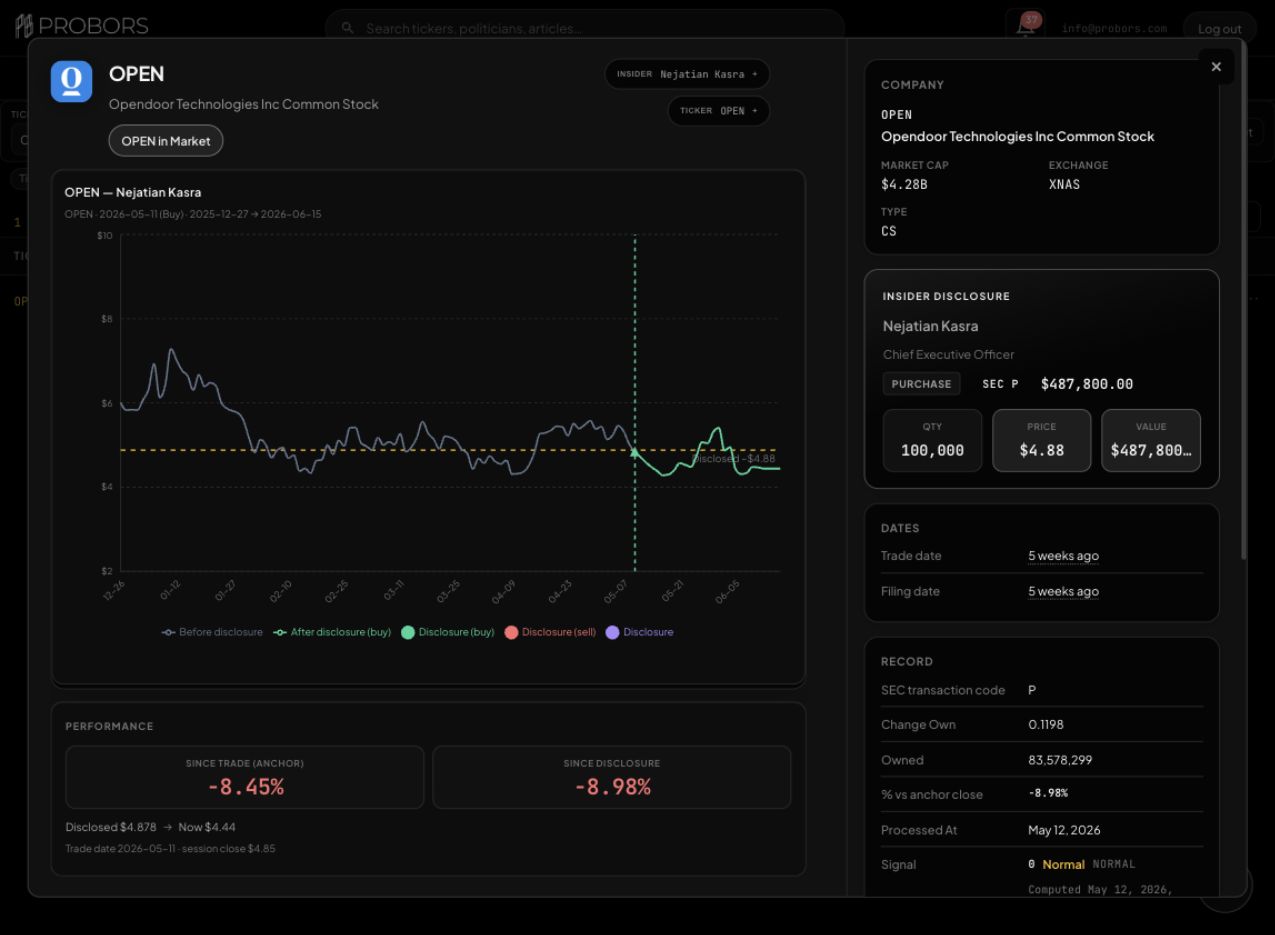
When you click a large insider transaction in ProBors, the context window shows the transaction value, shares, SEC code, filing timing, and market reaction together. That makes the row easier to triage before you compare it with congress activity on the same ticker.
Filters that reduce false positives
- Ignore repeats on illiquid tickers
- Require minimum average volume
- Compare whale date to earnings window
- Check if the print is a planned 10b5-1 style sale
FAQ
Do whales predict returns?
No guarantee. Whales help you focus attention, not replace fundamentals.
Should I track whales without congress data?
You can, but combined context usually produces better research questions.
See whale prints next to politician trades
Filter large transactions and jump into ticker context on ProBors.
Get startedRelated reading
Sources & methodology

Last updated:
ProBors uses public disclosure records, SEC filings, House and Senate financial disclosure portals, market data, and in-product workflow checks. Articles are written as research education, not investment advice.