Investing.com is where millions of readers open quotes, economic calendars, and headline feeds—but it was not built to triage House periodic transaction reports or Senate periodic batches row by row. ProBors is disclosure-first: congressional STOCK Act rows, insider whale filings, signal scores, and market context on the same ticker. If you already use Investing.com for macro headlines and wonder whether that replaces a congressional tracker, the short answer is no for filing lag, chamber filters, and member-level history; Investing.com remains strong for calendar context and breaking news when price action drives the day. This comparison maps where each tool fits so you do not confuse a market headline with a verified politician disclosure. This is research context, not investment advice.
Quick answer
Choose Investing.com when your daily screen is quotes, economic releases, earnings calendars, and broad market news—and politician trades are a rare sidebar.
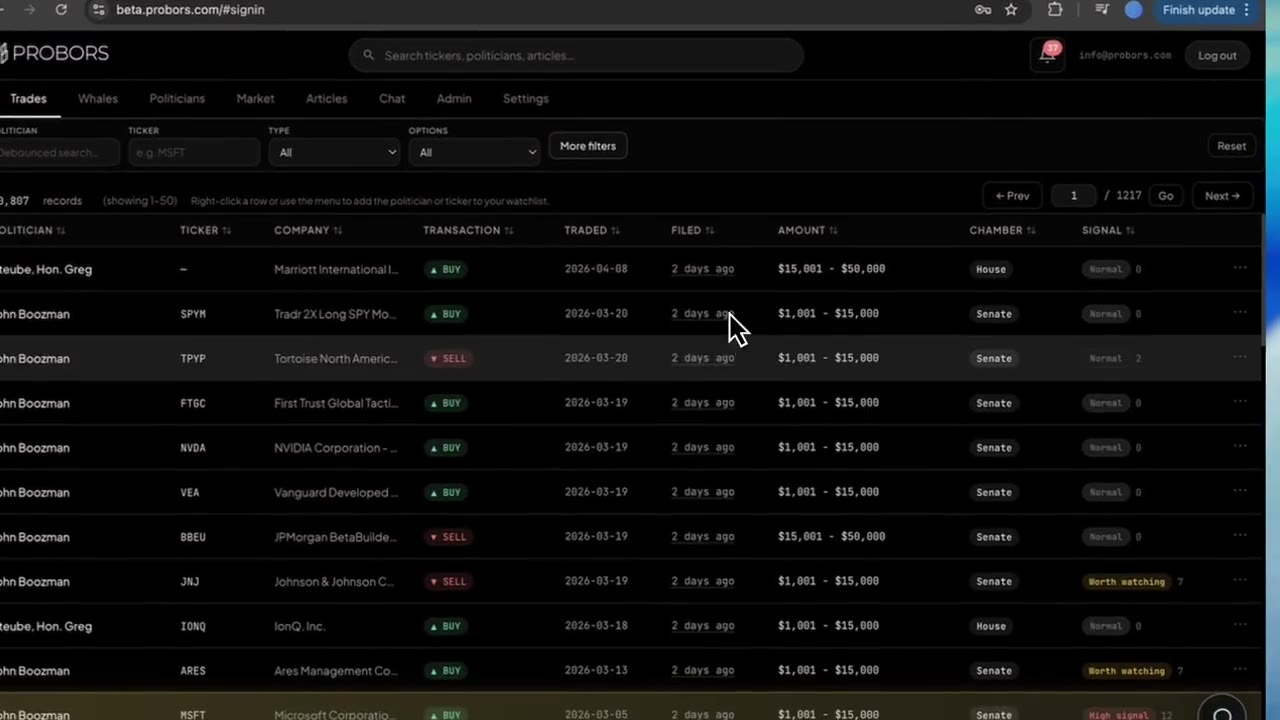
Choose ProBors when House PTR lines, Senate periodic reports, insider whales, filing lag, cross-chamber ticker review, and watchlist alerts belong in the same verification loop—not as a buried article link.
Many disclosure researchers keep Investing.com open for calendar and headline context, then switch to ProBors when a PTR batch lands, a senator files a periodic report, or they need to stack insider activity on the same symbol before drawing conclusions.
Side-by-side comparison
| Capability | Investing.com | ProBors |
|---|---|---|
| Primary focus | Quotes, news, calendars, screeners, community tools | Congressional STOCK Act + insider whale disclosure workspace |
| Congressional trade browsing | Occasional news articles; not a dedicated PTR module | House PTR and Senate periodic rows with chamber filters |
| Filing date vs transaction date emphasis | Headline timing; not built for PTR lag analysis | Structured fields with lag-friendly sorting |
| Insider Form 4 / whale context | News coverage varies by ticker | Core module with notional sizing and signal scores |
| Trade signal scores on disclosure rows | No | Yes on congress and whale rows |
| Watchlist + alerts on politicians/tickers | Price and news alerts | Inbox alerts tied to disclosure events |
| Market charts with disclosure markers | Quote charts and tools | Built-in workspace with optional congress markers |
| Best fit | Macro news and calendar-driven investors | Daily PTR triage, member history, and insider overlap |
What Investing.com does well
Investing.com earned its audience on breadth and speed. Typical workflows include:
- Scanning economic and earnings calendars before the U.S. session
- Following quote pages, forex, and commodity headlines in one tab
- Using screeners and portfolio tools tied to price and fundamentals
- Reading article-style explainers when a politician trade hits the wires
- Comparing broker commentary and sentiment around a ticker
If your thesis starts with "what moved overnight?" and congressional filings are an occasional headline, Investing.com remains a credible generalist home.
Where Investing.com stops and ProBors picks up
Congressional disclosures are not quote tickers—they are self-reported STOCK Act filings with filing lag, amount brackets, spouse or trust lines, and chamber-specific forms. Investing.com does not center that workflow. Researchers who live in disclosure data often need capabilities news portals were never built to provide:
- Batch filing behavior — one Senate periodic report can list trades from months earlier; member-level history matters more than a single headline
- Cross-chamber ticker review — the same symbol may appear in House PTRs and Senate filings on different dates
- Insider whale overlap — Form 4 lines on the same ticker as a politician purchase deserve a shared workspace, not a separate news search
- Verification before sharing — filing date, transaction date, asset type, and amount range need structured fields before you cite a row publicly
- Repeatable triage — signal scores, lag filters, and watchlist alerts reduce manual clerk portal checks
ProBors targets that loop: congress rows, insider whales, politician profiles, and charts without exporting tables to a spreadsheet. A news result on politician trades rarely exposes chamber, owner code, or amended-filing context the way a disclosure workspace does.
How a ProBors workflow differs from headline scanning
If an Investing.com article flags a politician trade, this six-step loop is what many ProBors users run next:
- Open the politician or ticker in ProBors — start from the name in the headline, not the summary alone.
- Sort congressional rows by filing date — note chamber, transaction type, amount bracket, and lag in whole days.
- Open the member profile — check spouse, joint, or trust lines that headlines often collapse into one sentence.
- Pull insider and whale rows on the same symbol — compare whether Form 4 activity overlapped the PTR window.
- Read signal scores as triage hints — open row detail for reasons; scores are not buy or sell instructions.
- Verify against the original source — open the House or Senate PDF before citing the row.
Steps 2–6 are where a disclosure workspace saves time compared with waiting for the next article or searching news archives.
Common mistakes when comparing the two
- Treating a politician headline as a complete filing history — articles highlight notable events; they do not list every PTR in a window.
- Confusing publish date with filing date — a story can appear days after the underlying disclosure landed on an official portal.
- Ignoring Senate batch lag — a November headline may describe trades from August; transaction date still matters.
- Skipping congressional overlap on insider stories — Form 4 headlines on a hot ticker deserve a STOCK Act check in the same pass.
- Paying for two tools without a repeat workflow — if you only read one politician headline per month, Investing.com plus free official portals may suffice.
When to choose each
Lead with Investing.com if you:
- Care most about calendars, macro news, and quote pages on a broad watchlist
- Want simple price or news alerts without building a disclosure verification loop
- Rarely research congressional disclosures beyond headlines
- Prefer editorial summaries over searchable PTR tables
Add or switch to ProBors if you:
- Research filing lag, Senate backlogs, or member-level clusters regularly
- Stack House and Senate rows on the same ticker in one session
- Want insider whale context and congressional rows on shared watchlists
- Need signal scores, AI tables, or alerts built for disclosure rows—not news search
Use both if you run a hybrid workflow: Investing.com for the calendar and headline scan, ProBors for the disclosure table, and official .gov sources for the final check.
What this does not prove
An Investing.com article or a row on ProBors does not prove insider knowledge, future returns, or illegal trading. STOCK Act and Form 4 filings are self-reported, can be amended, and often arrive after prices have already moved. News selection bias means headlines emphasize dramatic trades, not exhaustive datasets. Always read the original filing before acting on any disclosure table.
FAQ
Does Investing.com track congressional stock trades?
Investing.com covers broad market news and may publish stories when politician trades make headlines. It is not a structured House and Senate PTR workspace with filing lag, chamber filters, and member-level search on every row.
Can ProBors replace Investing.com for market news?
Not for everyone. Investing.com remains strong for economic calendars, breaking headlines, and quote pages. ProBors focuses on disclosure triage—congress, whales, and verification—not replacing a full financial news portal.
Which tool is better for alerts on politician trades?
Investing.com alerts center on price and general news. ProBors watchlists can flag new disclosure rows on politicians and tickers you follow, which fits researchers who need to know when a PTR lands—not only when it becomes a headline.
Do either tool replace official STOCK Act or SEC sources?
No. Both are triage layers on public data. Before publishing or trading on a disclosure, open the original House or Senate PDF or the SEC Form 4.
Is this investment advice?
No. Both tools surface public information for research; you make your own decisions.
Move from headlines to verified rows
Use ProBors to triage congressional filings, insider whales, signal scores, and market context on the same ticker.
Get startedRelated reading
- Yahoo Finance vs ProBors congress disclosure workflow
- CNBC vs ProBors congress disclosure workflow
- Best congress stock trading trackers
- How to read politician trade disclosures
Sources
- House Clerk — Financial disclosure reports
- Senate eFD — Periodic transaction reports
- SEC EDGAR — Form 4 search
- STOCK Act overview (Congress.gov)
- Rows were checked in ProBors and should be verified against the original filing.
- Ingestion health for ProBors data is summarized at probors.com/status.
Sources & methodology
Last updated:
ProBors uses public disclosure records, SEC filings, House and Senate financial disclosure portals, market data, and in-product workflow checks. Articles are written as research education, not investment advice.